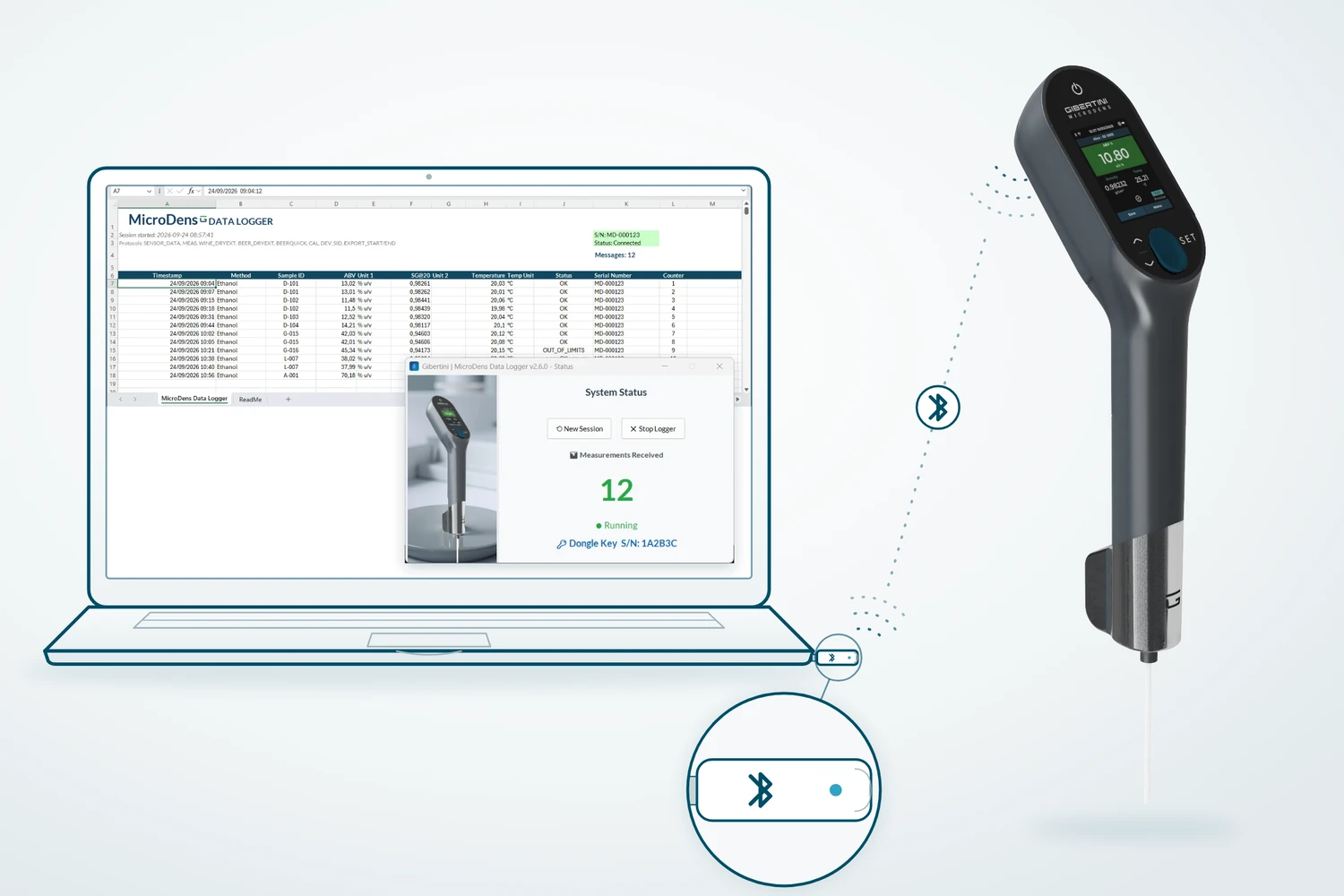
Every measurement saved on the density meter is transmitted to the PC through the MicroDens BLE dongle, and MicroDens Data Logger records it in the open Excel file. A bulk transfer also acquires the entire instrument memory. The program is free.

The MicroDens is paired with the dongle only once, from the instrument menu. From then on every saved measurement is transmitted to the PC; stored measurements are sent in bulk with Send Data. The program records them from the first empty row of the working file.
saves the measurement and transmits it over Bluetooth (BLE)
plugged into a USB port on the PC, receives measurements from the paired instrument
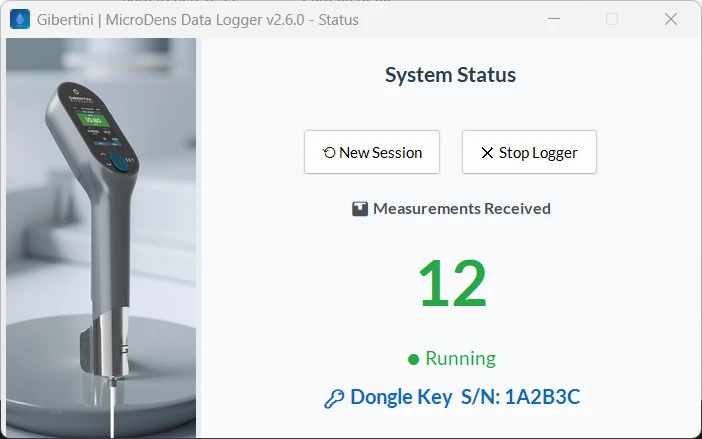
detects the dongle with no port to select and counts the measurements received
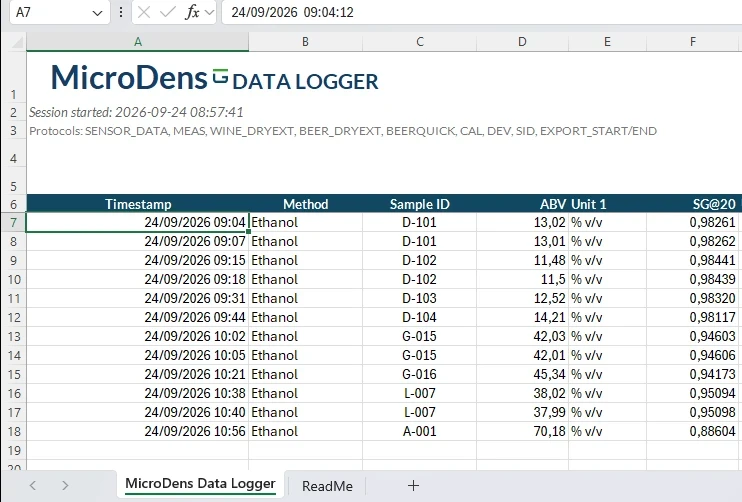
one row per measurement; the program saves the file every 10 measurements
Measurements are not transcribed from the display: every saved measurement becomes a row of the file, with the instrument's date and time.
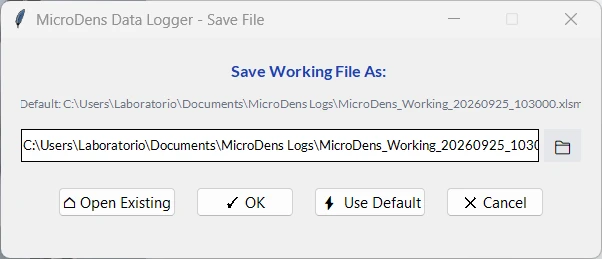
The 12 columns of the row, A to L, hold date and time, method, sample ID, the two values with their units, temperature, status, the instrument serial number and a progressive number. The file is created from the Gibertini template in the chosen folder, or an existing file is resumed from the first empty row.
With the wine and beer dry extract methods, BeerQuick and must, the values calculated by the instrument are recorded in dedicated columns, on the same row.
Download temporarily unavailable. Please try again later.
Free, no registration. Requires Microsoft Excel installed on the PC and the MicroDens BLE dongle, included or sold separately depending on the instrument version (see requirements). Installation: manual, chapter 2.
| Requirements | |
|---|---|
| Instrument | MicroDens density meter with Bluetooth (BLE) |
| Connection | MicroDens BLE dongle on a free USB port of the PC. It is included or sold separately depending on the instrument version: contact Gibertini to check |
| System | Windows 10 or Windows 11, 64-bit |
| Excel | Microsoft Excel 2016 or later, Microsoft 365 included, installed on the same PC |
| USB driver | none to install: Windows recognizes the dongle automatically |
| Installation | with administrator rights on the PC |
| Internet | not required for use |
| Language | program in English; installer in English or Italian, following the Windows language |
To order the MicroDens BLE dongle or for support with the program: service@gibertini.com · +39 02 3541434 · Monday–Friday, 9:00–18:00, Italian time. Corrective and security updates for 5 years from the delivery of each version. Security reports: software.gibertini.com/security.
Without the dongle, MicroDens USB Extractor, also free, transfers measurements to Excel over the USB cable alone.
Contact GibertiniFor a historical session archive and PDF reports, there is MicroDens Logger Pro, a paid program.