MicroDens USB Extractor reads the entire memory of the density meter over the USB cable and records measurements and adjustments in an Excel file, one row per measurement. The program is free and requires only the supplied USB-C cable.
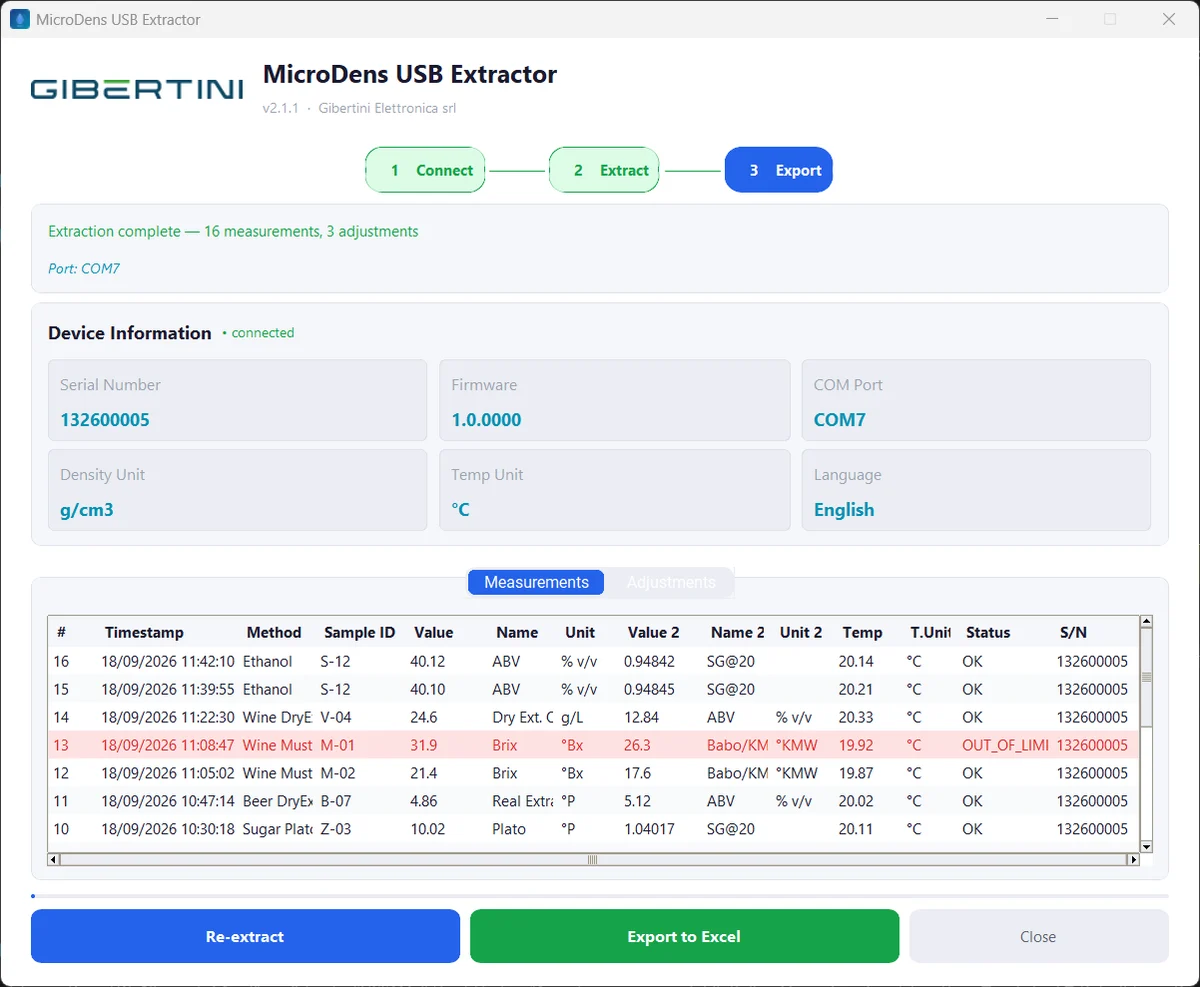
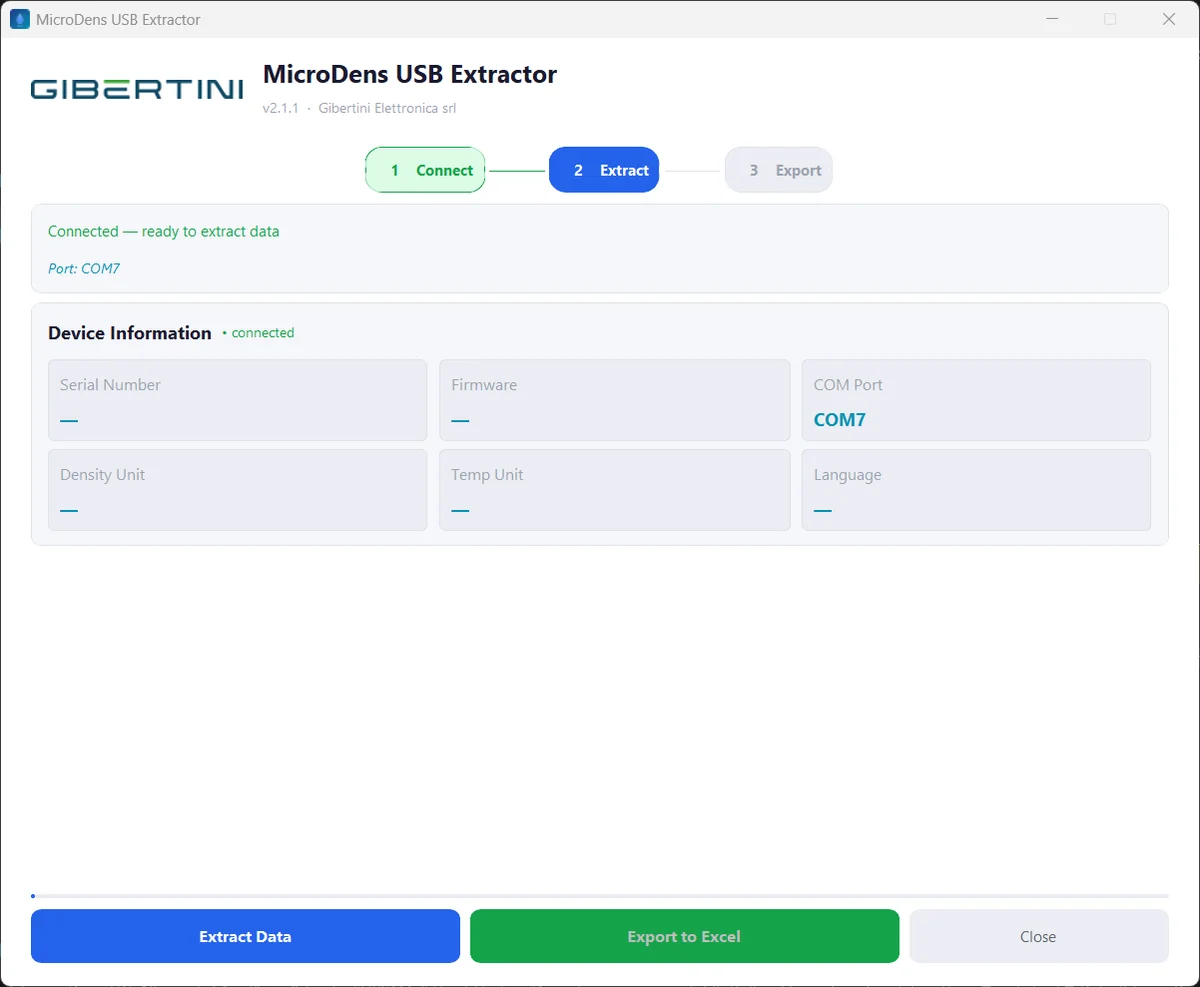
The program detects the MicroDens on the USB port, reads its memory and displays measurements and adjustments. The Excel file is created with a separate command, once the data has been checked.
The program looks for the instrument on the USB ports every 3 seconds and connects as soon as it finds it.
With Extract Data the program reads every stored measurement and adjustment and shows them in a table.

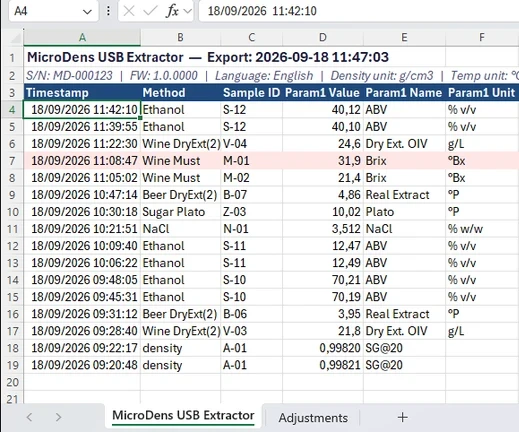
With Export to Excel the program creates an .xlsx file, with one sheet for measurements and one for adjustments.
Measurements are not transcribed from the display: a single extraction records them all in the file. Each row contains date and time, method, sample ID, the two quantities with name and unit, temperature, status, serial number and the instrument counter. Out-of-limit measurements are highlighted in red.
The top of the sheet shows serial number, firmware and the units set on the instrument. A second sheet lists the adjustments with date, type, offset and operator.

Download temporarily unavailable. Please try again later.
Free, no registration. Installation: manual, chapter 2.
| Requirements | |
|---|---|
| Instrument | Gibertini MicroDens density meter |
| Instrument setting | export destination set to Computer (manual, chapter 3) |
| Connection | USB-C cable supplied with the instrument |
| System | Windows 10 or Windows 11, 64-bit |
| Excel | Microsoft Excel, installed on the same PC, which writes the file |
| USB driver | Silicon Labs CP210x, included in the installer: an optional, preselected step that appears only if the driver is missing (manual, chapter 2) |
| Installation | with administrator rights on the PC |
| Internet | not needed for use |
| Language | program in English, installer in Italian |
service@gibertini.com · +39 02 3541434 · Monday–Friday, 9:00–18:00, Italian time
Updates for 5 years. Security reports: software.gibertini.com/security.
Contact GibertiniWith the MicroDens BLE dongle, MicroDens Data Logger records each saved measurement and the entire memory in Excel.